
Guide · Shopify · Checklist
Visits but no orders? A 20-point Shopify checklist.
Traffic is coming in, but nobody is buying. Before you spend more on ads, work through these 20 checks to find where your Shopify store is losing sales.

Ashutosh Arya, founder of Ary-keting23 November 2026 · 6 min read
Or call +91 83173 44121 · Mon–Sat, 9 AM–9 PM · We reply within one working day
01 · Short answer
The short answer.
If your Shopify store gets visits but no orders, the problem is usually not the traffic itself. It is one of five things: tracking that hides real orders, a slow or awkward mobile store, product pages that leave questions unanswered, too little trust, or a checkout that adds friction. Work through the 20 checks below in order. Most stores find the leak in the first ten.
Fix the store before you add ad spend. More traffic into a store that does not convert only makes the leak more expensive.
02 · Checks 1–4
Check the numbers first.
- Confirm orders are really zero. Compare Shopify orders with what your ads dashboard reports. Many stores have orders that the ad platform never sees.
- Check that your Meta Pixel and Google Analytics 4 fire on purchase, once per order, with the order value.
- Count sales that close off-site. If buyers message you on WhatsApp or call before paying, those sales belong to the store and the ads too.
- Look at where visits come from. A spike from one cheap placement, a bot or a giveaway post can bring visits that were never going to buy.
03 · Checks 5–8
Speed and the mobile store.
- Open the store on a mid-range Android phone on mobile data. Most Indian shoppers will see it that way. If the first screen takes more than a few seconds, you are losing people before they scroll.
- Remove apps you no longer use. Each app can add scripts to every page, even after you stop using it.
- Compress and size images properly, and make sure images below the first screen load only when the shopper scrolls to them.
- Tap through the whole path with your thumb: menu, collection, product, variant picker, cart. Anything small, hidden or slow to respond is a reason to leave.
04 · Checks 9–13
The product page.
- Lead with real photos that show scale, texture and the product in use, not only a white background.
- Answer the questions buyers ask on WhatsApp right on the page: size, material, delivery time, returns and care.
- Show the delivery estimate and return policy near the add-to-cart button, not only in the footer.
- Make the price and any offer clear and consistent with what the ad said.
- Keep one obvious next step. One add-to-cart button, with a secondary option to ask a question.
05 · Checks 14–16
Trust.
- Show who is behind the store: a real about page, a business address and a phone or WhatsApp number.
- Add genuine reviews or customer photos as they come in. Never invent them.
- Make the store look like the brand in your ads. A store that looks like every other template, or looks different from the ad, feels risky to a first-time buyer.
06 · Checks 17–19
Cart and checkout.
- Place a test order yourself on a phone, with UPI and with a card, and note every extra step.
- Offer the payment options your buyers expect, including UPI and, where it makes sense for your margins, cash on delivery.
- Remove surprise costs. Shipping or fees that appear only at checkout are one of the most common reasons carts are abandoned.
07 · Check 20
Match the traffic to the store.
- Make sure the ad, the landing page and the offer tell the same story. Send ad clicks to the most relevant product or collection, not the homepage.
08 · Real example
What fixing the store did for one brand.
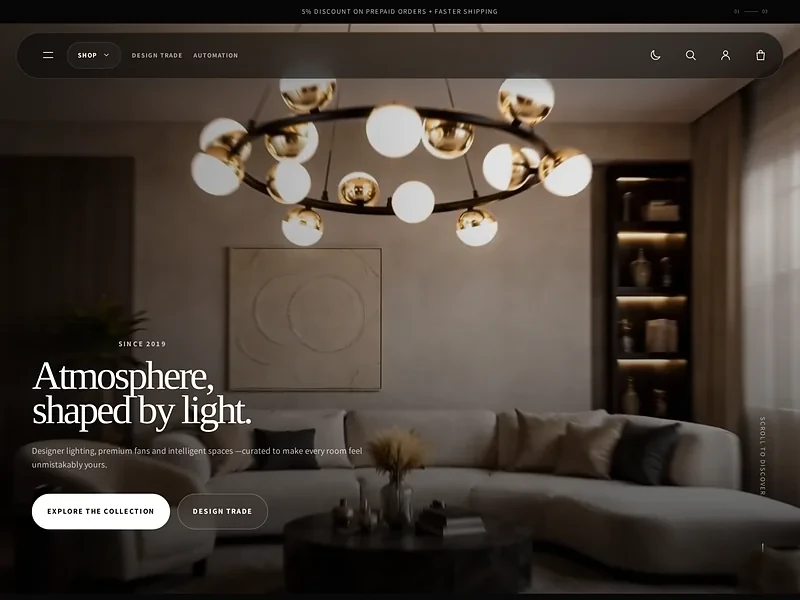
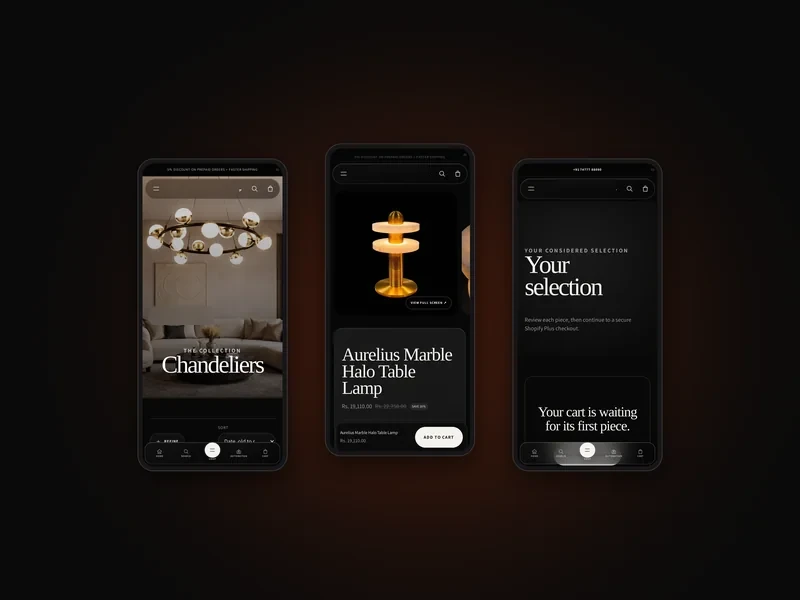
Light Art Studio sells premium designer lighting on Shopify. When we moved its store onto our own theme, Noir Commerce, and fixed the mobile product pages and tracking, the store's conversion rate went from 0.08% to 0.25%, about 3x in 3 months. Checkouts went up 4x, from 71 to 289, on 38% less ad spend. From July to October 2026 the brand did ₹1.23 Cr net sales, with about 30x ROAS on Meta spend. Read the Light Art Studio case study.
09 · Next step
What to do next.
If the checks point to the store, start there. Our Shopify developer in India page covers custom builds, and Turnkey Launchpad sets up a ready theme for you. If the store is sound and the traffic is the problem, our performance marketing agency page explains how we run Meta and Google ads against real sales.
10 · FAQ
Questions.
Why does my Shopify store get traffic but no sales?
Usually because of one of five things: tracking that hides real orders, a slow mobile store, product pages that leave questions unanswered, too little trust, or friction at checkout. Check them in that order before you spend more on ads.
How many visits should a Shopify store get before the first order?
There is no fixed number. It depends on the product, the price and how well the traffic matches the store. If a few hundred well-targeted visits bring no orders and no add-to-carts, look at the store before you buy more traffic.
Should I change my Shopify theme if I have no sales?
Only if the theme is part of the problem: slow on mobile, hard to use, or making the brand look generic. Run the checks first. Many leaks can be fixed on the theme you already have.
Written by
Ashutosh Arya, founder of Ary-keting, a studio in Siliguri, West Bengal that builds custom Shopify themes, runs performance marketing on Meta, Google and Amazon, and makes AI video ads. Ash built the Shopify themes Noir Commerce and Veylith, and ran marketing for Light Art Studio from July to October 2026. Ash was rated 4.9/5 on Fiverr as a freelance UI/UX designer (2021–24). Write to hello@aryketing.in.
Related
Keep reading.
 ServiceShopify development and custom themes
Custom Shopify themes and stores built from scratch in Liquid. From ₹1.5L, clear quote first.
See our Shopify development service →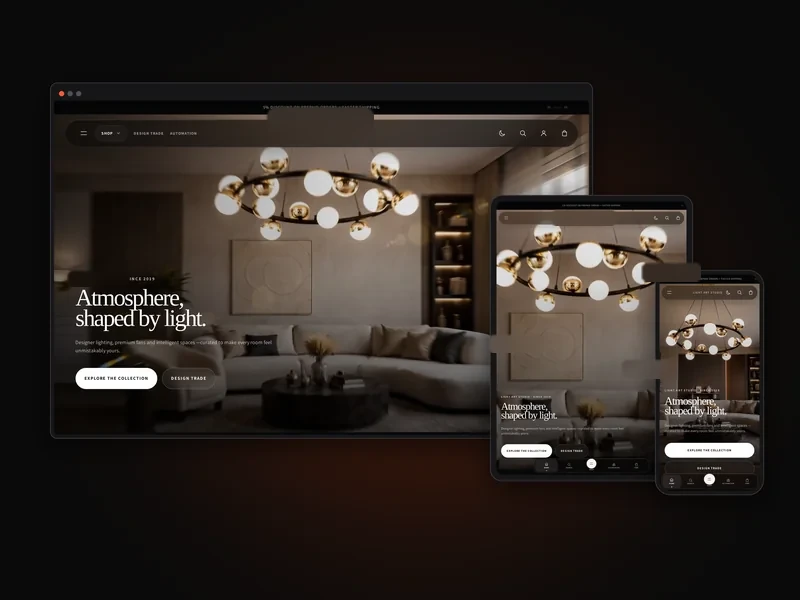 ServiceEcommerce website development
Shopify-led ecommerce websites for Indian brands. From ₹1.5L, clear quote first.
See ecommerce website development → GuideWhat a Shopify website costs in India in 2026
Custom theme vs premium theme vs freelancer, and what drives the price.
Read the Shopify website cost guide →Case studyLight Art Studio: ₹1.23 Cr net salesMeta ads, a WhatsApp sales flow and the Shopify store, July to October 2026.
Read the Light Art Studio case study →Next step
Hire a team that builds to sell.
Send us your brief and we will come back with a clear quote, or tell you if a smaller job will do.
Or call +91 83173 44121 · Mon–Sat, 9 AM–9 PM · We reply within one working day
Enquiry
Tell us about your brand.
Or write to hello@aryketing.in, or call or WhatsApp +91 83173 44121. We reply within one working day.